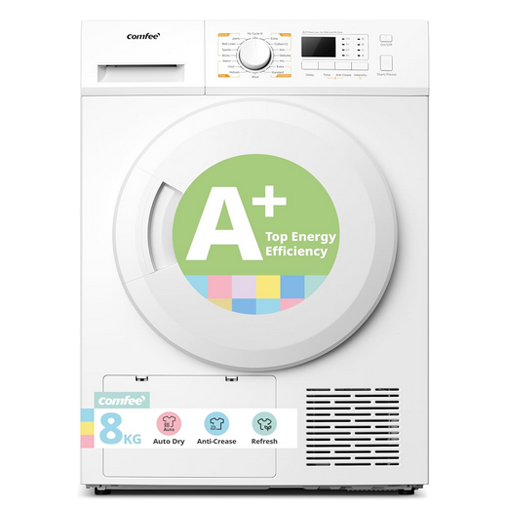
Comfee Heat Pump Tumble Dryer — CFG09EH80/W-UK
Support Contact Information
Over the phone support: 01234 567890
Email: service_uk@midea.com
Use the quick links below or scroll down for online support for your product.
Frequently Asked Questions
If clothes are coming out damaged, check the following:
- Ensure the drum is not being overloaded.
- Ensure the appliance is on the correct programme.
If the issue is still not resolved, get in touch with the support team by using the contact details on this page. To best assist you with your query, we may require photographs of the following:
- Front of the appliance
- Back of the appliance
- Serial number sticker
- Plug
- Inside the drum
- Any affected areas you can see
- Damaged clothing
If the clothes aren’t drying, check the following:
- Clean the lint filter.
- Wipe the humidity sensors inside the drum.
- Clean the heat exchanger.
- Empty the water tank.
- Check the load is the correct size. If the load is too big then clothes won’t move freely to dry.
If the issue is still not resolved, get in touch with the support team by using the contact details on this page. To best assist you with your query, we may require photographs of the following:
- Front of the appliance
- Back of the appliance
- Serial number sticker
- Plug
- Inside the drum
- Any affected areas you can see
If the cycle won’t start, try the following:
- Ensure the door is closed correctly with nothing obstructing it.
- Ensure a time delay has not been set.
- Check that power is going to the appliance.
- Clean the lint filter.
- Clean the humidity sensors inside the drum.
- Clean the heat exchanger.
- Empty the water tank.
If the issue is still not resolved, get in touch with the support team by using the contact details on this page. To best assist you with your query, we may require photographs of the following:
- Front of the appliance
- Back of the appliance
- Serial number sticker
- Plug
- Inside the drum
- Any affected areas you can see
- This is to stop the clothes from creasing. The drum will occasionally turn until the appliance has been either switched off or the door has been opened.
If the programme is stopping after a few minutes, check the following:
- Check the lint filter and condenser tray for any blockages or debris.
- Clean the heat exchanger.
- Wipe the humidity sensors inside the drum.
- Ensure the loads are not too big.
- Ensure the unit is plugged in correctly.
If the issue is still not resolved, get in touch with the support team by using the contact details on this page. To best assist you with your query, we may require photographs of the following:
- Front of the appliance
- Back of the appliance
- Serial number sticker
- Plug
- Inside the drum
- Any affected areas you can see
How-to videos
Power Reset your Tumble Dryer
Bush Standard TV Warranty
A standard Bush TV in the UK comes with a minimum 12-month manufacturer's guarantee covering defects from faulty materials or workmanship. The guarantee does not cover accidental damage, misuse, or consumable parts, and starts from the original purchase date.
You can register your product for free on the Bush Registration website and you still have legal rights under the Consumer Rights Act for up to six years.